 Fynchat
Playground
Try the assistant's replies safely before your customers see them, then run it on live WhatsApp for specific numbers only using test mode.
Why test first?
Before you launch the assistant to real customers, it's important to see how it actually answers: Is its tone right? Does it answer from the knowledge base? Does it know when to hand off to a human? The system offers two safe ways to test before going fully live, both on the AI Chatbot settings page.
First: the Playground
A trial chat inside the dashboard that no customer sees. It uses your current settings (provider, model, instructions, knowledge base), so it gives you a realistic picture of the replies.
How to use it
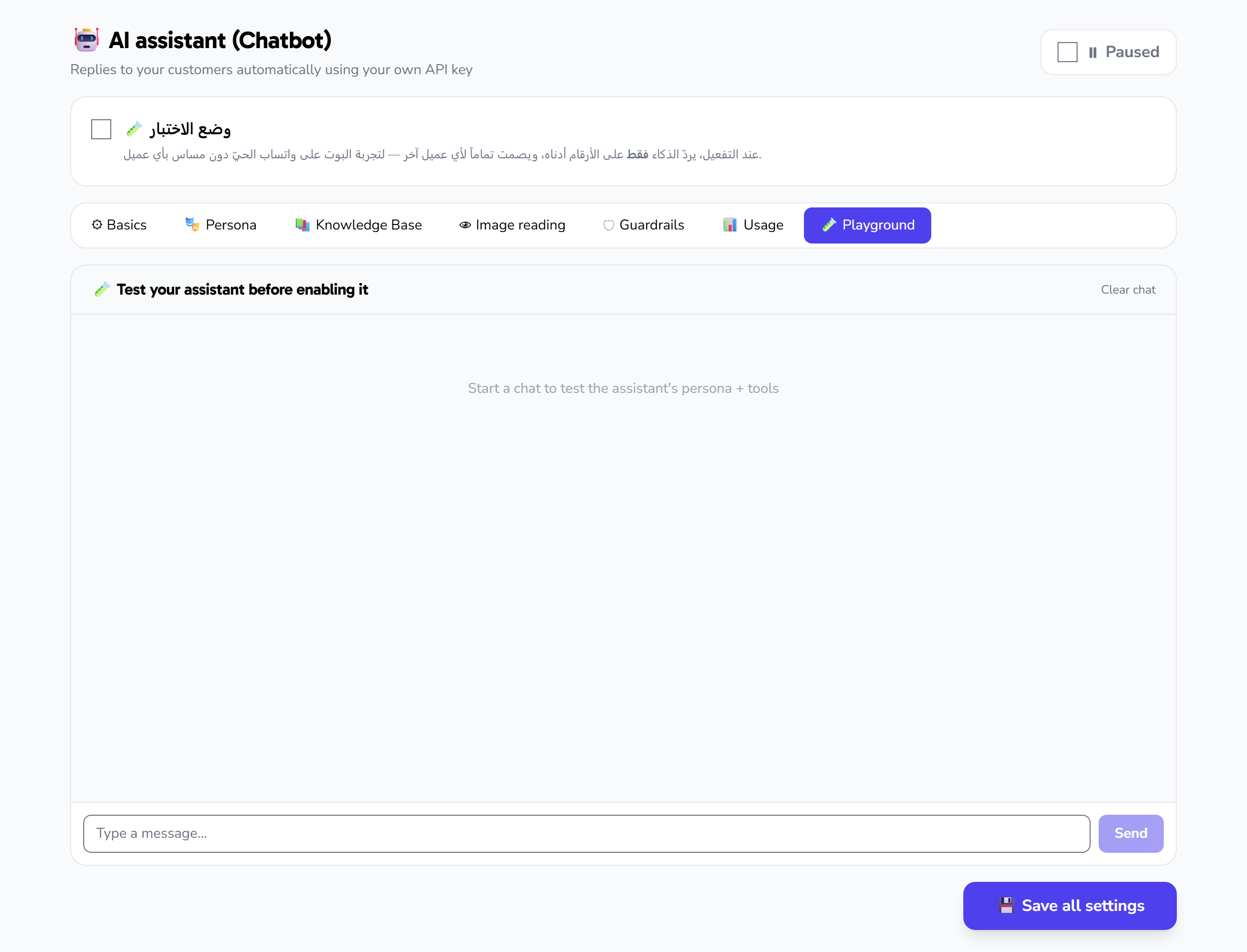
- Go to the Playground tab.
- Type a message as if you were a customer in the input field, then click Send.
- The assistant's reply appears instantly, along with the token count and the estimated cost of the reply.
- Continue the conversation with follow-up questions to test memory and context.
- Click Clear to start a fresh conversation from scratch.
Using the Playground requires a saved, valid access key. If you haven't set up a key yet, see the "Set up the AI chatbot" article.
What to test
- Common questions to confirm answers are drawn from the knowledge base.
- An out-of-scope question to see whether it politely declines or hands off to a human instead of inventing an answer.
- A price or availability request to check that the assistant calls tools rather than guessing.
- The tone and length of replies and how well they match your company's style.
If you don't like the result, edit the instructions in the Persona tab or add a fact in the Knowledge base, then test again. Repeat until you're satisfied.
Second: test mode on live WhatsApp
Once the replies satisfy you in the Playground, you can try the assistant on real WhatsApp but without touching any of your customers. When test mode is on, the assistant replies only to the numbers you specify, and stays completely silent for any other number.
How to enable it
- At the top of the page, switch on the Test mode toggle.
- Add your phone number (or your team's numbers) to the Allowed numbers list.
- Save.
- Message the company's WhatsApp number from one of these numbers and try the full conversation.
Note: if you enable test mode without adding any number, the assistant will not reply to anyone at all. Make sure to add at least one number.
The difference between the two
| Playground | Test mode | |
|---|---|---|
| Location | Inside the dashboard | Real WhatsApp |
| Who sees it | Only you | Only the specified numbers |
| Purpose | Quickly tune replies and instructions | Final trial in the real environment |
Going fully live
When you're confident in the replies in both cases:
- Turn off Test mode.
- Make sure the Enable toggle is on.
- Save.
Now the assistant replies to all your customers. Watch its performance and cost during the first few days from the Usage tab, and adjust settings as needed.