 Fynchat
Using the API + Webhooks
Connect your external applications to Fynchat via the REST API and Webhooks.
What does the API offer?
The REST API lets your external systems (store, CRM, your custom system) to:
- Send WhatsApp messages programmatically
- Manage contacts
- Create and launch campaigns
- Query messages and conversations
And Webhooks notify your system of important events in real time (new message, campaign completion, etc.).
Step 1: Create an API key
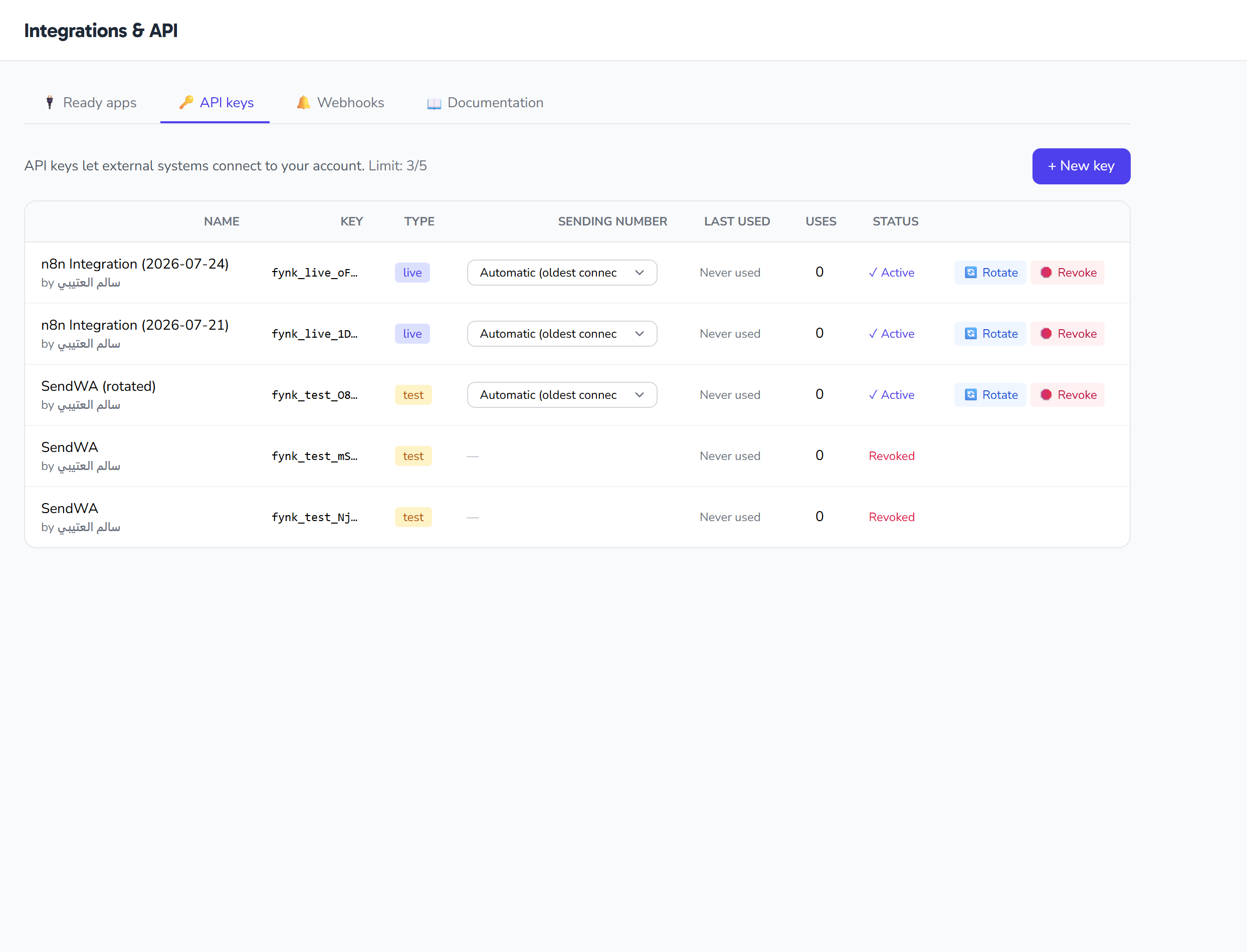
- Go to Settings → Integrations → API Keys
- Click + New key
- Choose:
- Descriptive name: e.g. "Salla store integration"
- Environment:
livefor production ortestfor testing - Permissions: select only what you need (least-privilege principle)
- Copy the key immediately — it won't be shown again!
Step 2: Send your first request
Use curl for a quick test:
curl https://fynchat.com/api/public/v1/contacts \
  -H "Authorization: Bearer fynk_live_YOUR_KEY"
Or use the JavaScript SDK:
<script src="https://fynchat.com/sdk/fyntralink.js"></script>
<script>
const fl = new Fynchat({ apiKey: 'fynk_live_xxx' });
await fl.messages.sendText('+966501234567', 'Hello!');
</script>
Step 3: Receive Webhooks
- Go to Settings → Integrations → Webhooks
- Click + New Webhook
- Enter:
- URL: your endpoint address (e.g.
https://yourdomain.com/wa-webhook) - Events: choose the ones you care about (
message.received,campaign.completed...)
- URL: your endpoint address (e.g.
- Save the Signing Secret — you use it to verify the signature of every webhook
Step 4: Verify Webhook signatures
Every webhook carries a header:
X-Fynchat-Signature: t=1715251200,v1=abc123...
Verify it before any processing:
PHP
$body = file_get_contents('php://input');
$sig = $_SERVER['HTTP_X_FYNTRALINK_SIGNATURE'];
preg_match('/t=(\d+),v1=([a-f0-9]+)/', $sig, $m);
$expected = hash_hmac('sha256', $m[1].'.'.$body, $YOUR_SIGNING_SECRET);
if (!hash_equals($expected, $m[2])) { http_response_code(401); exit; }
Node.js (with the SDK)
const valid = await Fynchat.verifyWebhook(rawBody, sigHeader, secret);
if (!valid) return res.status(401).send('Invalid signature');
Tips
- Use a Test API key during development
- Always verify the signature — don't trust any webhook without verification
- Return 200 OK quickly (under 10 seconds). Process the logic in a job/queue
- Support idempotency:
X-Fynchat-Deliveryis a unique ID for each webhook — ignore duplicates - Watch the 100 requests/minute — this is the limit per key
Read the full documentation
https://fynchat.com/api/docs — a comprehensive reference for every endpoint with examples.