 Fynchat
Conversation assignment & distribution
Configure how incoming conversations are routed automatically — the default responder, agent distribution, department routing, and tag-based bypass — from a single settings page.
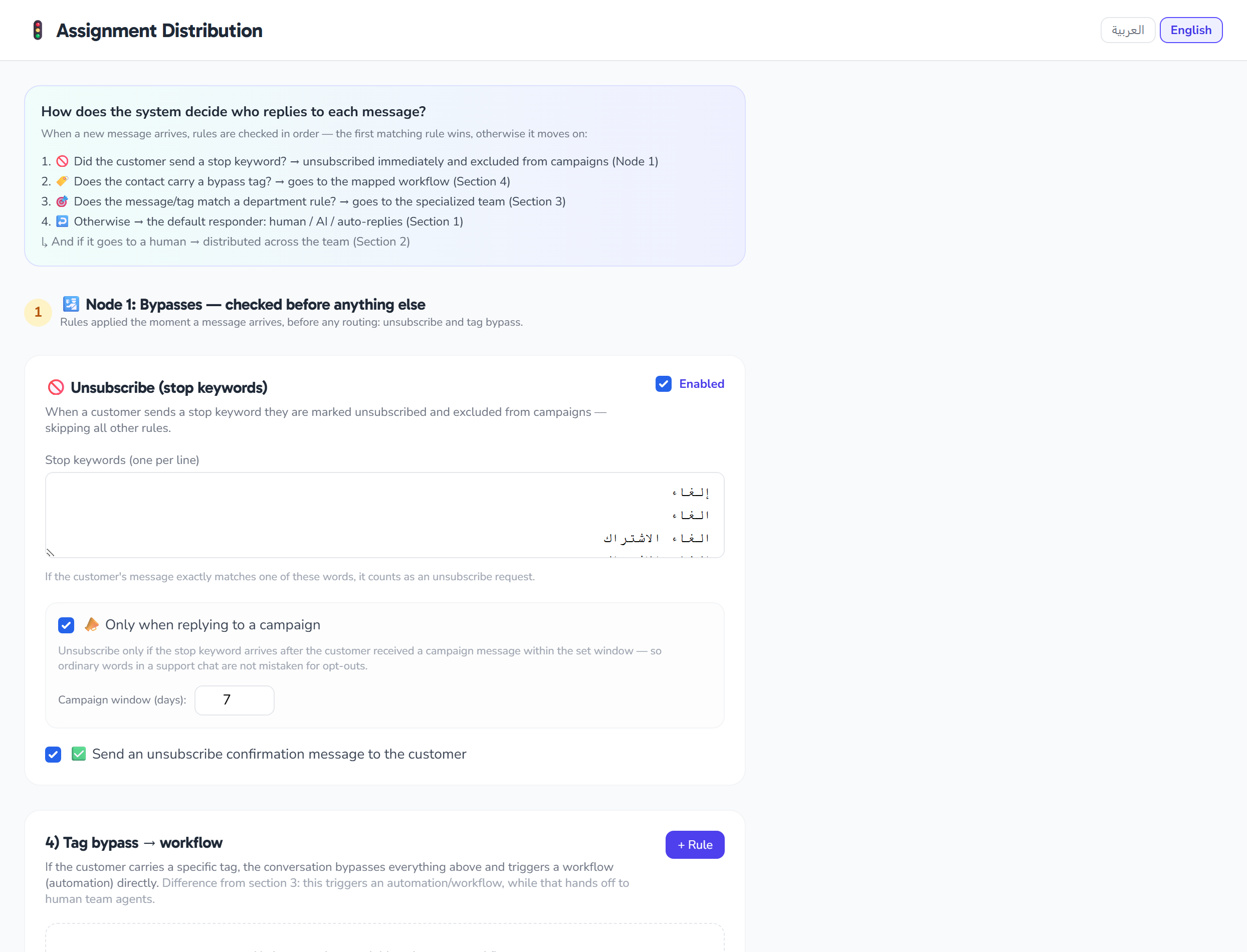
What is the "Conversation assignment & distribution" page?
It's a settings page (for admins) that controls how incoming conversations are routed automatically to the right destination — the bot, a human agent, or a specific team/department. You'll find it at /settings/assignment, and it's made up of four lanes ordered by priority.
Access: Saving distribution settings is available to admins only (a non-admin user gets a 403 refusal), and requires a valid account (tenant) context — a missing tenant is also refused with 403. All destinations (the fallback agent, teams, and target workflow) are also restricted to your own account.
How is a conversation routed? (priority order)
When a new conversation arrives, the system passes through the four lanes in the following order, and the first lane that applies decides the destination:
- Tag bypass
- Department routing
- Default responder
- Human-agent distribution
The page shows this priority order in a list at the top. The order of the sections within the page, however, starts with the default responder for easier setup.
1. Default responder
Sets who receives new conversations by default, via two settings written onto the reception router config (reception.router):
Distributor decision mode (mode): how the default responder is decided at intake.
| Mode | Meaning |
|---|---|
static — Fixed |
A fixed responder that doesn't change |
rules — Rules |
Decided by rules |
ai_intent — AI intent |
Decided by analyzing the message's intent with AI |
Default responder (default_route): the default lane for a new conversation, shown as three selectable cards.
| Option | Meaning |
|---|---|
human — Human agent |
The conversation goes to an agent |
ai — Bot |
The bot (AI) handles it |
auto — Auto |
The automatic lane |
If you don't have a reception workflow, a warning appears in this section and the default-responder settings are not applied (the write to the reception router is skipped).
2. Human-agent distribution
A master switch for auto-distributing conversations across human agents, with additional options:
- Human-agent distribution enabled: the master on/off switch for automatic distribution.
- Fallback agent (optional): the agent who receives conversations when no eligible agent is available. You can choose "None".
- Per-agent max concurrent chats: a per-agent capacity cap (a number between 0 and 50) used as the load ceiling for distribution, edited on each agent's row.
Distribution strategy: shown as selectable cards.
| Strategy | Cue | How it distributes |
|---|---|---|
least_busy |
⚖️ | Assigns to the least-busy agent |
round_robin |
🔄 | Rotates between agents |
skill_based |
🎯 | By skill (shows a hint linking to routing rules) |
When you pick skill_based, a link to the routing rules (/inbox/routing-rules) appears so you can configure them.
Next to each agent, you'll also see — for display only, not editable — their presence with a colored status dot, and their current load (number of open conversations) shown as "load / max". To manage team membership, open the Team page: /team.
3. Department routing
Rules that route a conversation to a team based on a keyword or a tag. Add a rule with the Add button, and remove it with the ✕.
| Field | Description |
|---|---|
| Match type | keyword or tag |
| Match value | The text to match (up to 120 characters) |
| Target team | The team the conversation is routed to (your account's teams only) |
| Rule enabled | Turn the rule on/off |
The "add department route" button is disabled if you don't have any teams yet. Create your teams first from /team.
4. Tag bypass
The highest-priority lane: rules that redirect a conversation carrying a specific tag to a designated workflow, bypassing the other lanes. Add and remove rules the same way as the department section.
| Field | Description |
|---|---|
| Tag | The tag that triggers the bypass (up to 80 characters) |
| Target workflow | A standard workflow (role=standard) the conversation is routed to (reception/system workflows are excluded) |
| Rule enabled | Turn the rule on/off |
| Override human | If enabled, the rule overrides the assigned human responder |
| Remove tag after | If enabled, the triggering tag is removed after the bypass runs |
Saving
After any change, click Save settings to save the whole page (sent via PATCH to /settings/assignment). You can also switch the page language (Arabic/English) from its header.
Quick tips
- Start by setting the default responder, then enable human-agent distribution if you have a team.
- Use per-agent max concurrent chats to keep a single agent from being flooded with conversations.
- Set a fallback agent so no conversation is left without a destination when everyone is busy.
- Remember that tag bypass takes priority over the other lanes, so use it for special cases that must override normal routing.