 Fynchat
Inbox settings
Control how conversations are displayed, when they auto-close, the farewell message, and campaign conversation visibility from the inbox settings page.
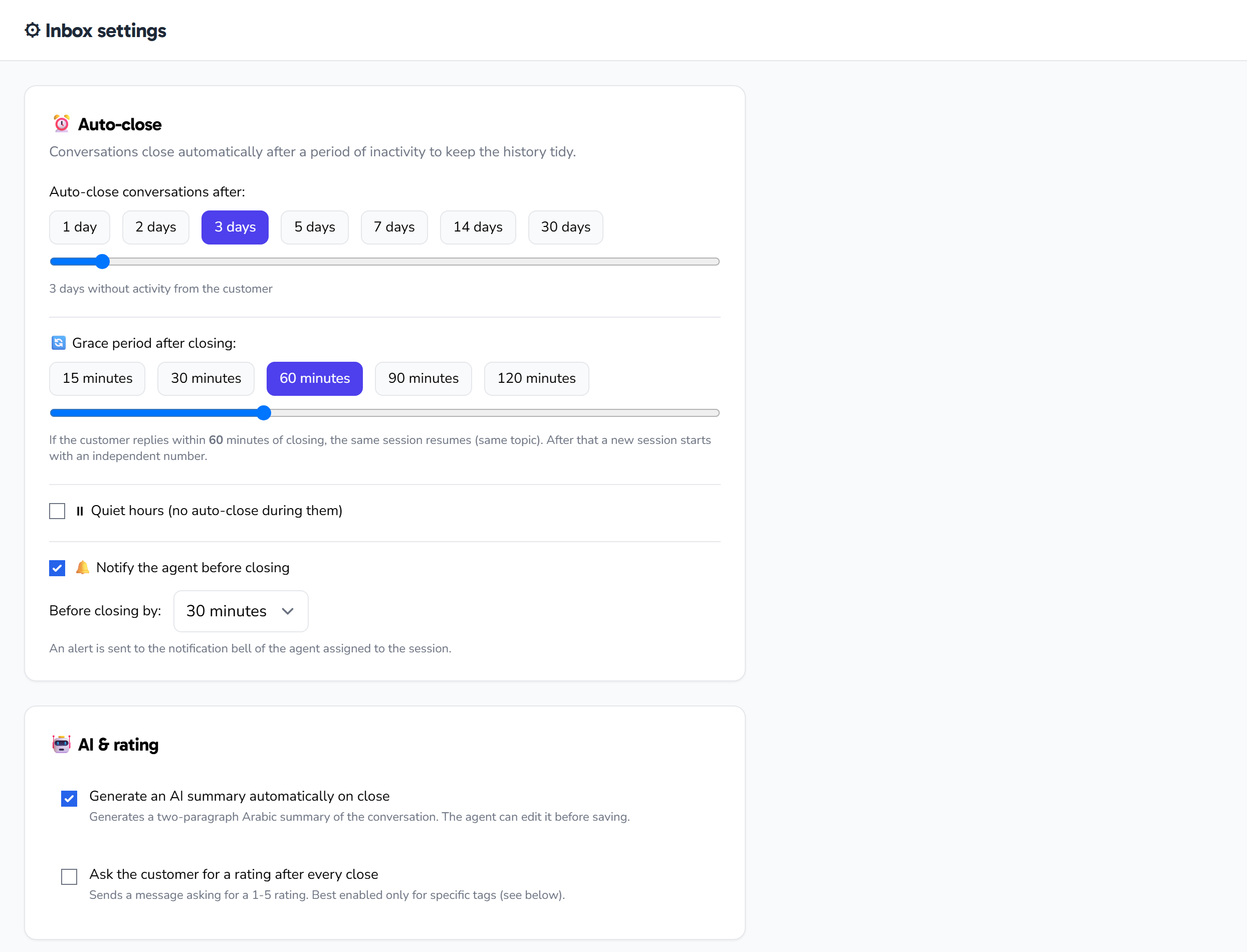
What is the inbox settings page?
The Inbox settings page (/settings/inbox) is where you control how your inbox behaves and is organized: how urgent, team, and closed conversations are displayed, when conversations auto-close, whether a farewell message is sent before closing, and how and when campaign-originated conversations become visible.
The page is divided into four settings groups, with a Save button at the top. When you open the page, your current settings load automatically; you edit what you want and click Save to apply it. A short confirmation appears next to the button on a successful save (and disappears after a moment), and if the save fails you get an alert.
Here is each group and its options.
1) Layout
This group controls how the different conversation types are displayed in the inbox. Each option is a single choice among several modes:
| Setting | Available modes | Default |
|---|---|---|
| Urgent conversations display mode | badge (badge) or separate section (section) |
badge (badge) |
| Team conversations display mode | tab (tab), separate section (section), or hidden (hidden) |
tab (tab) |
| Closed conversations default view | collapsed (collapsed) or expanded (expanded) |
collapsed (collapsed) |
- Urgent conversations: choose to highlight them as a badge in the list, or group them in a separate section.
- Team conversations: conversations assigned to the team can be shown in their own tab, within a section in the list, or hidden entirely.
- Closed conversations: choose whether they are collapsed by default (to keep the list focused on active conversations) or expanded.
2) Auto-close
This group closes conversations automatically after set durations. At the top of the group there is a master enable toggle: when it is off, the three numeric fields are disabled and appear dimmed.
When enabled, you set three durations:
| Field | Unit | Default | Range | What it does |
|---|---|---|---|---|
| Bot conversations auto-close hours | hours | 24 | 1 – 720 | Bot-handled conversations close after this period |
| Abandoned conversations auto-close hours | hours | 48 | 1 – 720 | Abandoned conversations close after this period |
| Handoff minutes | minutes | 30 | 5 – 1440 | The handoff timeout before auto-close |
Turning off the master toggle disables auto-close entirely and keeps the three fields disabled until you turn it back on.
3) Farewell message
A farewell message is sent to the customer before the conversation is closed. This group also has a master enable toggle at the top; when it is off, the message fields appear dimmed and disabled.
When enabled, you set the following:
| Field | Details |
|---|---|
| Farewell lead-time minutes | How many minutes before closing the message is sent. Default 60, range 5 – 720 minutes. |
| Farewell message text | Free text you type into a text area. It supports the {name} placeholder, which is replaced with the customer's name. |
| Respect 24-hour window | A checkbox (on by default) to send the message only within WhatsApp's 24-hour session window. |
Use
{name}inside the message text to insert the customer's name automatically. And if you keep Respect 24-hour window enabled, the farewell will only be sent while the 24-hour session is still open.
4) Campaign conversation visibility
This group controls when conversations coming from campaigns appear in the inbox.
Visibility mode — one choice of three:
| Mode | When the conversation appears |
|---|---|
After reply (after_reply) |
Appears after the customer replies (the default) |
Always (always) |
Appears immediately, without waiting for a reply |
Delayed (delayed) |
Appears after a number of hours that you set |
When you choose the Delayed mode, a Visibility delay hours field appears (default 0, range 0 – 168 hours). This field does not appear with the other two modes.
In addition:
- Hide opt-outs: a checkbox (on by default) to hide contacts who opted out from the campaign visibility view.
Bulk actions
Below this group is a bulk actions panel showing two read-only stats (loaded from the system) and two buttons that run immediately:
- Visible without reply — the number of campaign conversations currently shown that the customer has not replied to.
- Currently hidden — the number of conversations currently hidden.
| Button | What it does | When it is disabled |
|---|---|---|
| Hide campaign-only conversations | Asks for confirmation, then hides campaign conversations that have not been replied to, tells you how many were hidden, and refreshes the on-page counts | While an action is in progress, or when "Visible without reply" = 0 |
| Reveal all hidden conversations | Asks for confirmation, then reveals all hidden conversations, tells you how many were revealed, and refreshes the on-page counts | While an action is in progress, or when "Currently hidden" = 0 |
These two stats are display-only and cannot be edited; their role is to indicate how many conversations each button will affect and to disable the button when there is nothing to act on.
Saving changes
After adjusting any setting across the four groups, click the Save button at the top of the page. Everything you edited is saved at once, and a short confirmation appears and disappears automatically after a moment. The button is disabled while saving or while the page is loading. The two bulk action buttons (hide/reveal), by contrast, run immediately once you confirm and do not require pressing Save.
Quick tips
- If you work on your own, try hiding team conversations to keep the list simpler.
- Set the auto-close durations to numbers that are realistic for your workflow, so active conversations aren't closed prematurely.
- Use
{name}in the farewell message to make it personal, and keep Respect 24-hour window enabled to avoid farewells sent outside the session. - If your inbox fills with campaign conversations nobody replied to, use Hide campaign-only conversations to clean it up quickly — you can always undo with Reveal all hidden conversations.