 Fynchat
Team roles and permissions
An explanation of the Owner / Admin / Agent roles and what each role can do.
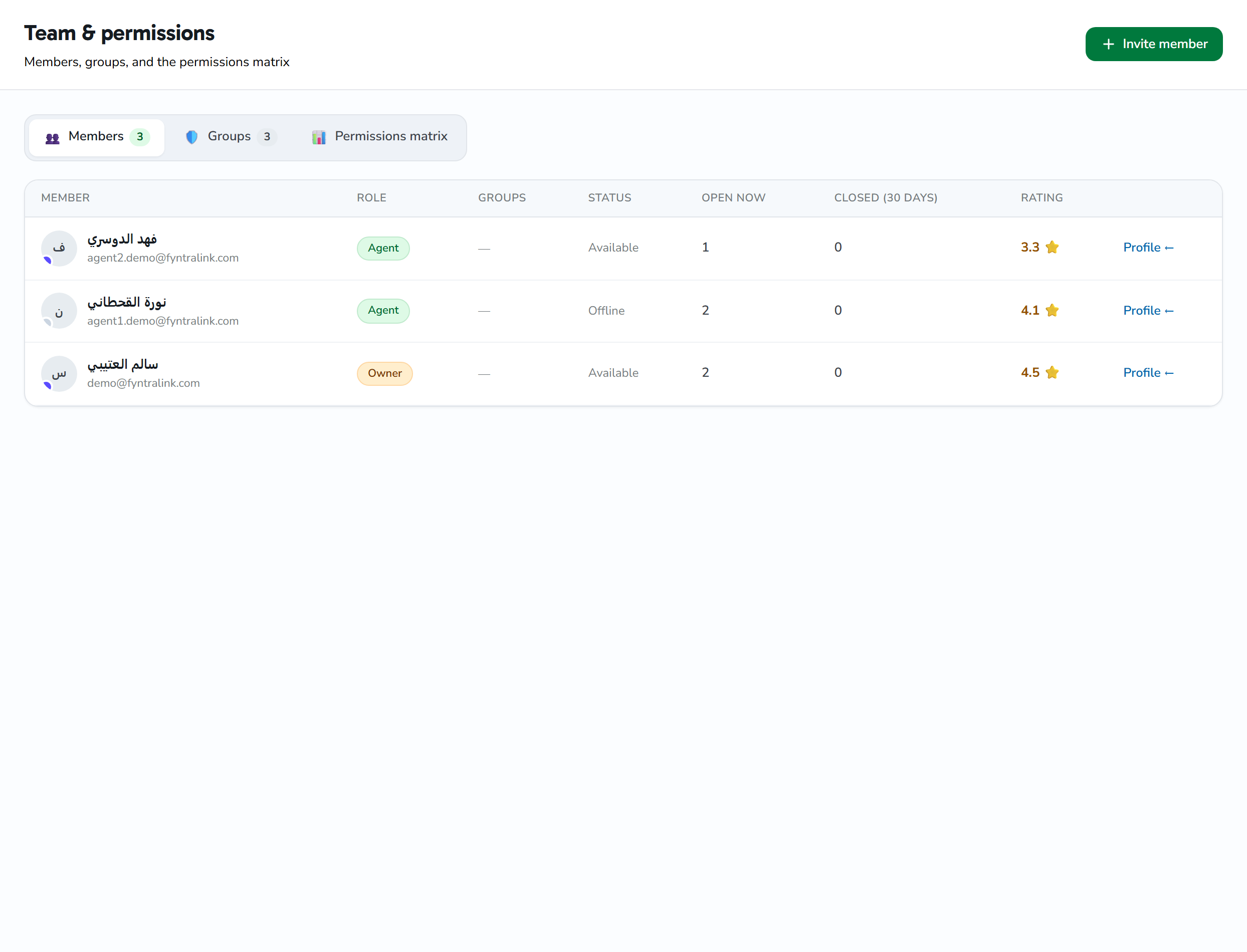
The three roles
👑 Owner
- Full permissions over everything
- The only one who can:
- Delete the account
- Change the primary email
- Manage billing
- Invite and remove admins
- There is only one owner per account (company)
🛠 Admin
- Manages users (adds and removes agents)
- Manages templates and campaigns
- Connects WhatsApp accounts
- Manages contacts
- Cannot: change billing, delete the account
💼 Agent
- Uses the inbox to reply to customers
- Views templates and campaigns (read-only)
- Cannot: create campaigns, edit templates, manage contacts
Inviting a new team member
- Go to Team
- + Invite member:
- Email (they'll receive an invite link)
- Role (Admin / Agent)
- We'll send them a welcome email containing:
- A link to set their password
- Their sign-in details
- As soon as they accept the invite, they appear in the list
Changing a member's role
- Go to Team
- Click the user → Edit role
- Choose the new role → Save
Removing a member
- Click the user → Remove from team
- Their data (the messages they wrote) remains saved under their name
- They lose access immediately after removal
For anyone asking: what's the difference between Owner and Admin?
| Capability | Owner | Admin |
|---|---|---|
| Manage billing | ✅ | ❌ |
| Delete the entire account | ✅ | ❌ |
| Add another Admin | ✅ | ✅ |
| Add an Agent | ✅ | ✅ |
| Create templates | ✅ | ✅ |
| Create campaigns | ✅ | ✅ |
| Reply in the inbox | ✅ | ✅ |
| Connect a WhatsApp account | ✅ | ✅ |
Best practices
- Don't share the Owner account — create separate users
- Use Admin for the site manager
- Use Agent for support/reply staff
- Review the team list periodically and remove anyone who no longer needs access
Common issues
"The agent can't see the campaigns"
That's normal — Agents have read-only access to campaigns. Change their role to Admin if they need to create them.
"The owner has left us — how do we transfer ownership?"
Contact support at [email protected] — we need to verify your identity and the new owner before completing the transfer.