 Fynchat
Connect Telegram
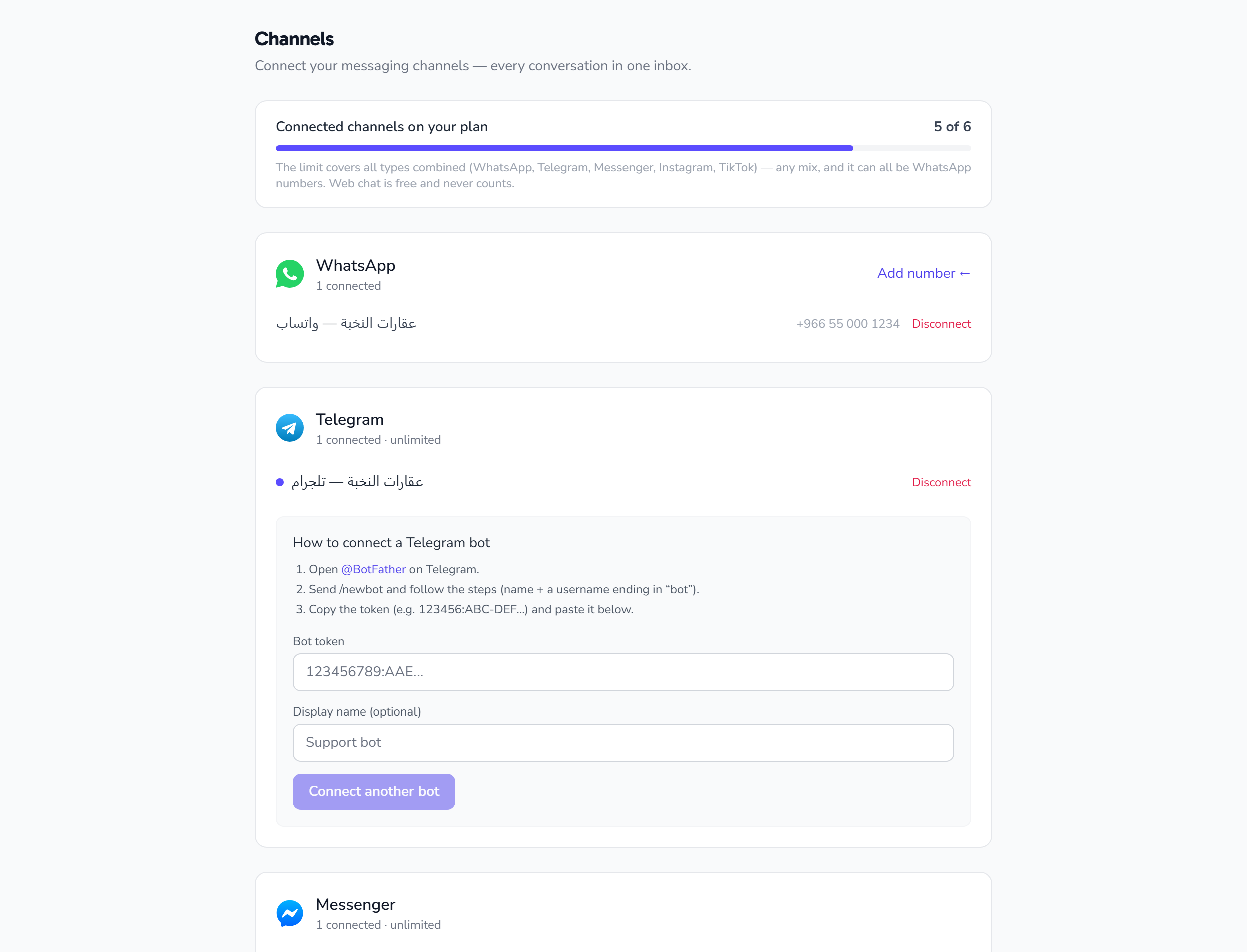
Create a Telegram bot with BotFather, paste the token into the Channels page, and your Telegram messages land in the unified inbox within a minute.
Before you start
All you need is a Telegram account. The connection runs through a bot you create yourself, and it stays entirely yours.
Steps
1) Create the bot in Telegram
- Open Telegram and search for @BotFather (the official verified account).
- Send the command
/newbot. - Enter the bot name as your customers will see it (e.g. Nokhba Store Support).
- Enter the bot username, which must end in
bot(e.g.nokhba_support_bot). - BotFather replies with the token, a long string like
7123456789:AAH8ZxQ...— copy all of it.
The token is the bot password. Never share it. If it leaks, send
/revoketo BotFather and get a new one.
2) Paste the token into Fynchat
- Go to Settings → Channels.
- Choose Telegram → Connect.
- Paste the full token, and optionally give the channel an internal name if you run more than one bot.
- Click Connect.
Fynchat verifies the token with Telegram directly. If you see "invalid token", it was most likely copied incompletely — copy it again in full.
3) Test it
Open your bot in Telegram, press Start and send a message. It appears immediately in the inbox under the Telegram channel, and your team or the AI assistant replies to it like any other conversation.
What works on Telegram
- Unified inbox and team assignment ✅
- Reception bot and automated replies ✅
- AI assistant ✅
- Sending images and files ✅
Bulk campaigns and approved templates are WhatsApp-only and are not sent over Telegram (see Multi-channel).
Good to know
- No 24-hour window on Telegram: you can reply any time, as long as the user has not blocked the bot.
- The customer must start the chat: Telegram does not let a bot message someone first.
- To disconnect, choose Disconnect on the Channels page. Your conversation history stays archived.