 Fynchat
Other integrations — WooCommerce, Odoo, Rekaz, Zoho Books and n8n
Connect your store or management system to Fynchat so its events (new order, payment, invoice, booking) become automatic WhatsApp messages to your customer.
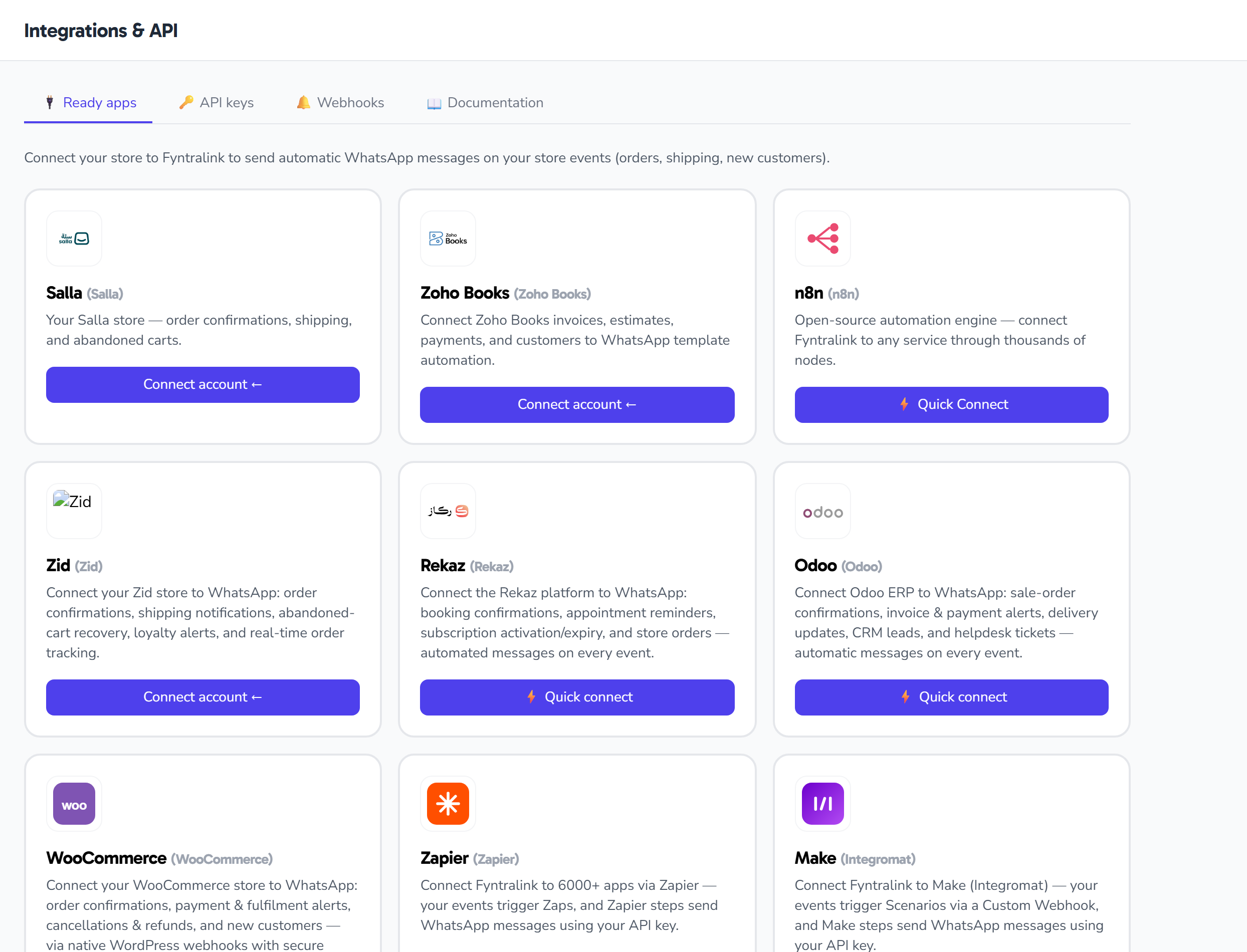
Alongside Salla, Zid and Zapier, Fynchat connects directly to other systems from Settings → Integrations.
The idea is the same in all of them: an event happens in your system → a WhatsApp message reaches your customer automatically (order confirmation, shipping, invoice, appointment reminder…).
🛒 WooCommerce
The easiest and the most technically solid, because WooCommerce supports webhooks natively and signs every delivery cryptographically, which we verify.
Steps:
- In Fynchat: Integrations → WooCommerce → Create connection, and copy the receiver URL and the secret.
- In WordPress: WooCommerce → Settings → Advanced → Webhooks → Add webhook.
- Set Delivery URL to the copied URL, Secret to the copied secret, and status to Active.
- Create one webhook per event you want.
Supported events: order created · order updated · order paid · order completed · order cancelled · refunded · order on hold.
You do not need REST API keys at all for event→WhatsApp automation; the webhook payload already carries the order.
🏢 Odoo
Odoo has no OAuth and no ready-made merchant API, so the connection is made with three pieces of information you copy once.
What you need:
- Your Odoo base URL and database name.
- An API key: in Odoo, Preferences → Account Security → New API Key.
- The email of the user who created the key.
Receiving events: through Settings → Technical → Automation Rules in Odoo, adding a Webhook action that posts to the receiver URL Fynchat gives you.
Odoo does not sign its deliveries, so the receiver URL carries a random secret token unique to your connection, which we verify on every request. Treat that URL like a password.
📦 Rekaz
A Saudi platform for managing bookings and subscriptions.
- In Rekaz: copy the key and secret and the tenant identifier (
__tenant) from the dashboard. - In Fynchat: paste them into Integrations → Rekaz.
- Then register the receiver URL in the Rekaz dashboard to receive booking events.
Rekaz also does not sign its deliveries, so we rely on the secret token inside the receiver URL.
🧾 Zoho Books
For invoicing and accounting, connected with a single OAuth authorisation and no key copying: Integrations → Zoho Books → Connect, then sign in and approve the permissions.
Good for sending invoice and payment notifications to your customers on WhatsApp.
🔗 n8n
If you run n8n, Fynchat offers a quick connect that hands you the keys and the webhook URL ready to build your own scenarios with full freedom.
The no-code cloud alternative is Zapier, with more than 5,000 apps.
What do you do with the event once it arrives?
Every incoming event becomes a trigger in Automations and workflows, so you can build whatever you like on top of it:
- New order → an instant confirmation message.
- Shipped → a message with the tracking number.
- Invoice due → a polite reminder the day before.
- Booking confirmed → a reminder before the appointment.
Starting a new conversation with a customer outside the 24-hour window requires an approved template — see creating templates.
Common problems
| Symptom | Most likely cause |
|---|---|
| No events arrive at all | The webhook is not active in your system, or the URL was copied incompletely |
| "Invalid signature" on WooCommerce | The secret in WordPress does not match the one in Fynchat |
| The event arrives but no message is sent | No workflow is built on that event, or the template is not approved |
| The connection suddenly stopped | A password changed or the API key was revoked in your system — reconnect |