 Fynchat
Satisfaction, sentiment and recurring topics
Measure customer satisfaction in stars, see what your reply speed actually costs you, and read the sentiment of closed conversations plus the topics that keep coming back — all in the second half of the Customer insights page.
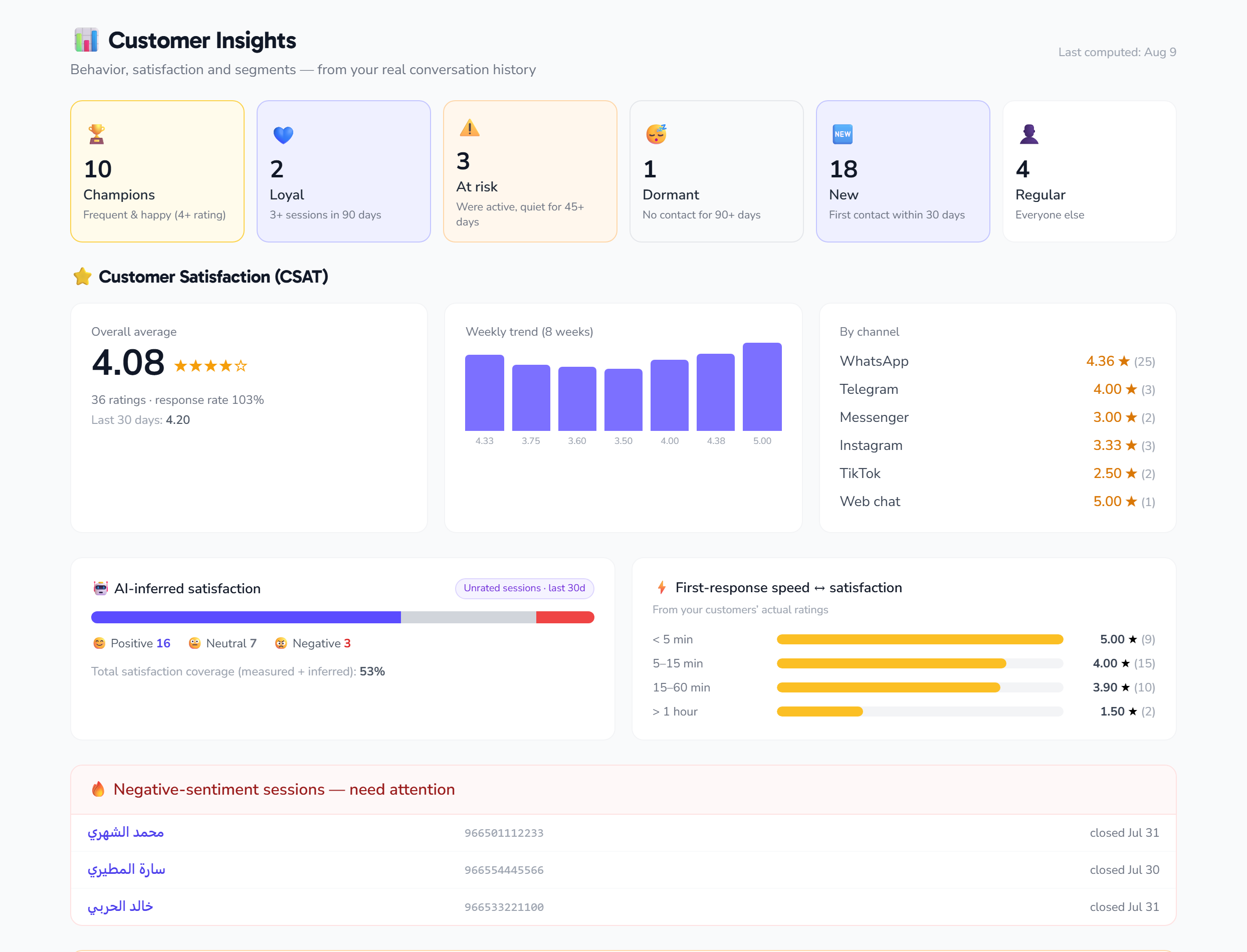
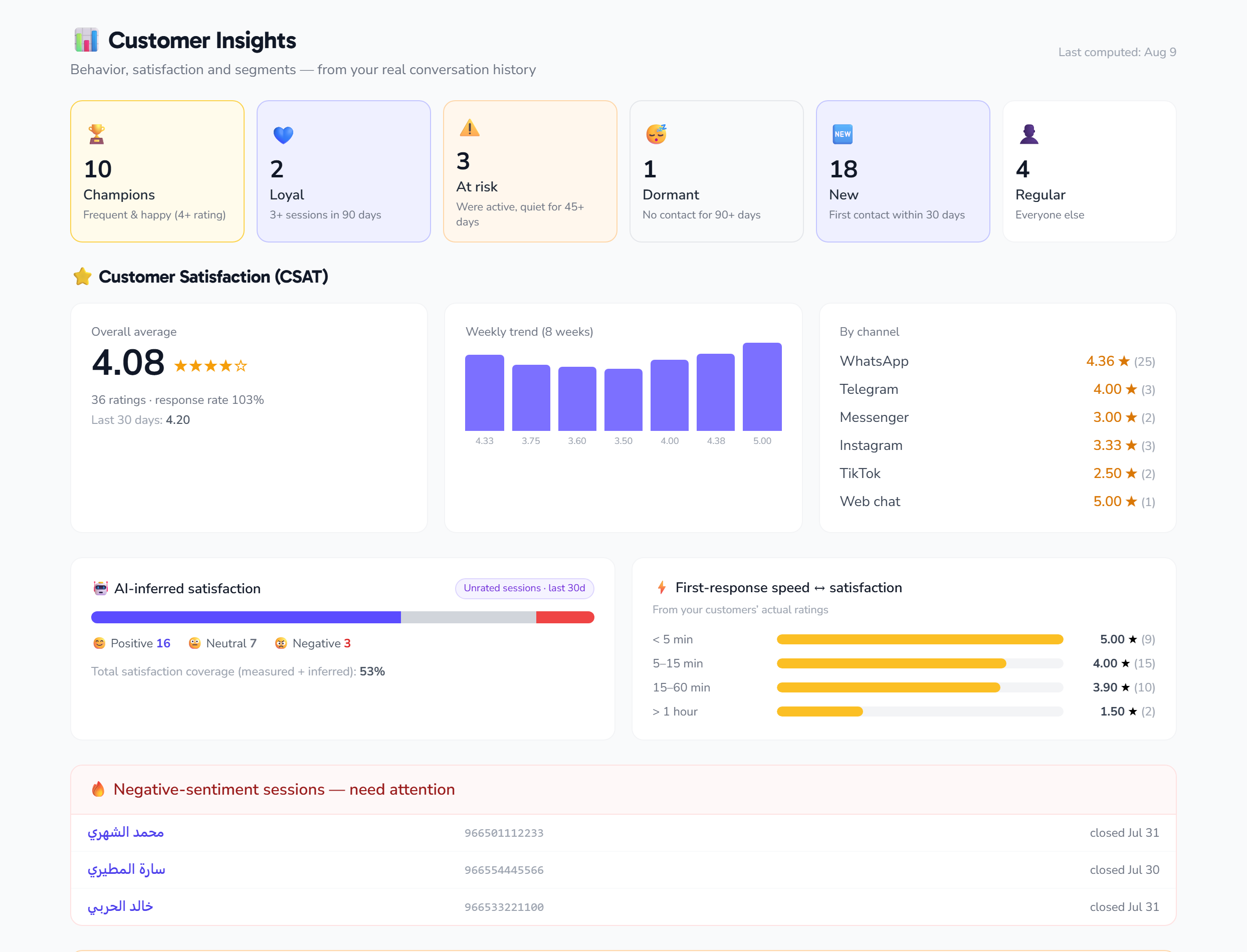
This article covers the second half of the Customer insights page: not who your customers are, but what their experience with you was like.
⭐ Customer satisfaction (CSAT)
After a conversation is closed, the customer can be asked to rate it from 1 to 5 stars with an optional comment. What comes back is shown from four angles:
| Card | What it tells you |
|---|---|
| Overall average | The average of every rating, and how many there are |
| Last 30 days | The recent average — compare it with the overall to see the trend |
| Weekly trend | The average for each of the last 8 weeks |
| Requests sent | How many conversations were asked for a rating at all |
Below it sit two breakdowns that matter:
- By agent: the top 10 agents with their average and rating count — the rating is credited to whoever last handled the conversation.
- By channel: average satisfaction on WhatsApp, Telegram, Instagram, website chat and the rest. The problem may be one channel rather than your team.
The rating request is sent once per conversation, and the customer's reply is accepted within 24 hours of it. So there is no risk of pestering anyone with repeated requests.
⚡ The speed → satisfaction curve
The most useful chart for a manager. It splits your rated conversations into four buckets by first-response time and shows the average rating in each:
| First reply within | What to expect |
|---|---|
| Under 5 minutes | Usually the highest satisfaction |
| 5 – 15 minutes | Good |
| 15 – 60 minutes | Starts dropping |
| Over an hour | The lowest |
Instead of arguing about whether speed matters, it hands you your own number: how many stars an hour's delay actually costs you. That is what justifies setting up automated replies or turning on the AI assistant outside working hours.
🙂 Inferred sentiment
Most customers never rate anything. So the system analyses the tone of conversations closed in the last 30 days and classifies them as positive / neutral / negative.
The page shows:
- The sentiment split across conversations closed this month.
- Coverage: how many conversations got a sentiment versus the total closed — so you know whether the sample is big enough to trust.
- The 10 most recent negative conversations, with names and links, so you can open and deal with them directly.
This is an automatic inference, not a verdict. Use it to catch what needs reviewing, not to grade an agent. Star ratings remain the official measure.
🧩 Recurring topics
The system groups your conversations and extracts the topics that genuinely keep recurring — things like "prices", "delivery dates", "payment methods" — with the number of sessions analysed and the date of the last analysis.
This list is the best source of material for the AI knowledge base: every recurring topic with no answer in the knowledge base is a gap costing you agent time every single day.
When do the numbers move?
All of these are computed automatically at night, each at its own hour: segments first, then sentiment, then topics. So do not expect today's conversation to appear in today's sentiment.
Tips
- Start with the speed curve; it is usually the fastest improvement available to you.
- Review the ten negative conversations weekly — some are customers a single message could win back.
- Turn every recurring topic into a knowledge base entry, then measure the effect next month.
- If you have few ratings, first check that conversations are actually being closed — no closure, no rating request.