 Fynchat
Multi-channel and the unified inbox
Fynchat brings WhatsApp, Telegram, Messenger, Instagram, TikTok and your website chat into one inbox, with a single unified record per customer.
What does multi-channel mean?
Your customers do not all message you in one place: some use WhatsApp, some reply to an Instagram story, another types in your website chat. Fynchat brings all of these conversations into one inbox your team answers from, instead of juggling six apps.
Supported channels:
| Channel | Typical use |
|---|---|
| WhatsApp Business | Your main channel, on the official Meta Cloud API |
| Telegram | Support bot or service desk |
| Messenger | Messages to your Facebook Page |
| Direct messages and story replies | |
| TikTok | Messages to your business account |
| Website chat | A chat widget on your own site |
One customer, one record
When the same person messages you on two different channels, their identity is unified automatically into one customer with one history across all channels. You never treat one person as three, and your agent sees the full context before replying.
What works on every channel
- The unified inbox and team assignment
- The reception bot and automated replies
- The AI assistant and its tools
- Tags, lists and the customer profile
What is WhatsApp-only
Some features follow Meta policies for WhatsApp specifically:
- Bulk marketing campaigns — WhatsApp only
- Meta-approved templates
- Interactive forms (Meta Flows) and interactive buttons
- The 24-hour window that requires a template once it closes
WhatsApp calls are not supported yet. They are on the roadmap and appear in the inbox marked "coming soon".
How many channels can you connect?
| Plan | Channels |
|---|---|
| Free trial | 2 |
| Starter | 4 |
| Business | 6 |
| Enterprise | 12 |
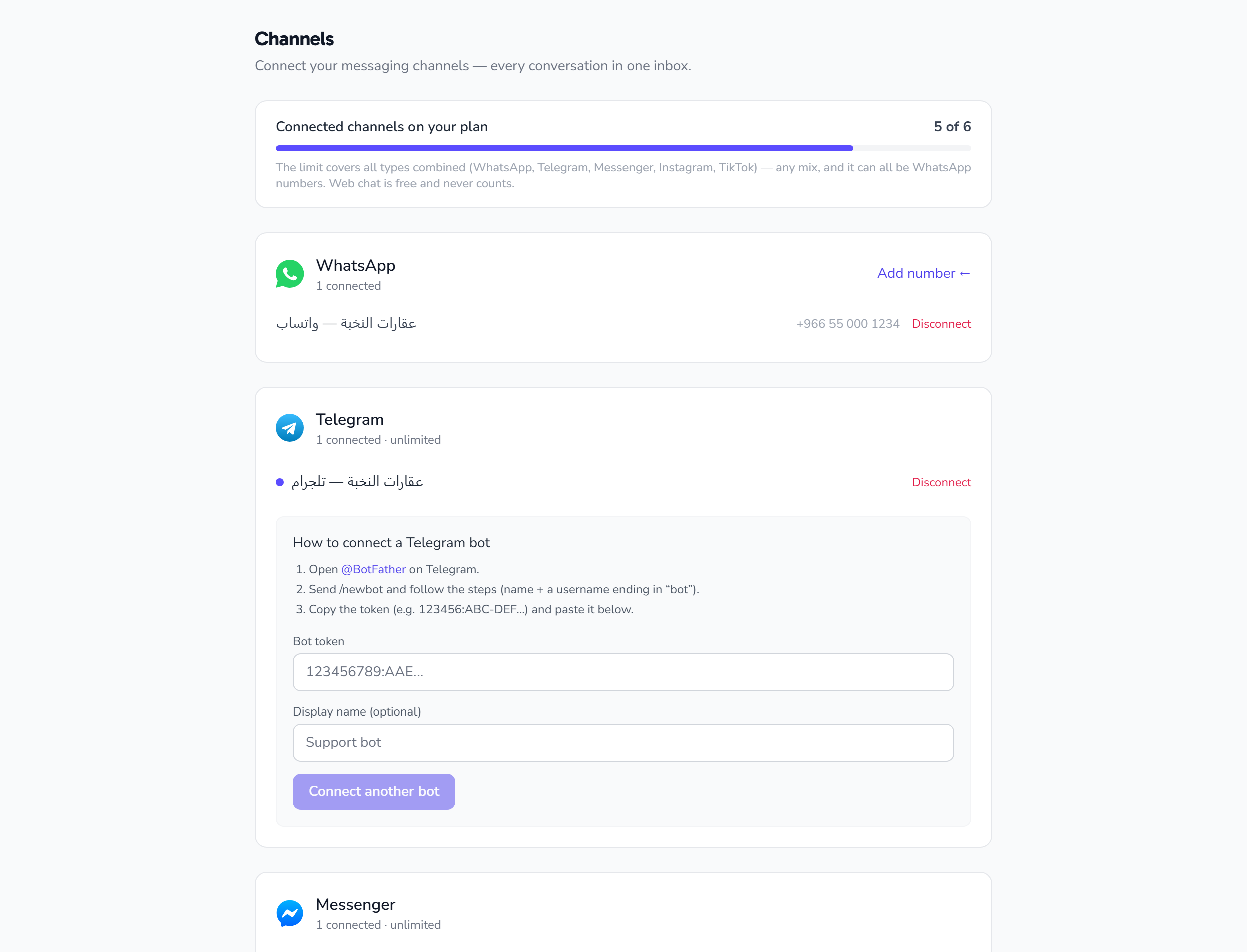
The allowance is flexible: use them all as WhatsApp numbers, or split them across channels as your business needs.
Where to manage channels
Go to Settings → Channels. The page lists every connected channel and its status, and is where you connect a new one or disconnect an existing one.
Read next: Connect Telegram · Connect Messenger and Instagram · Website chat · WhatsApp coexistence